Tutorial 2b - Tilting & De-centering Components
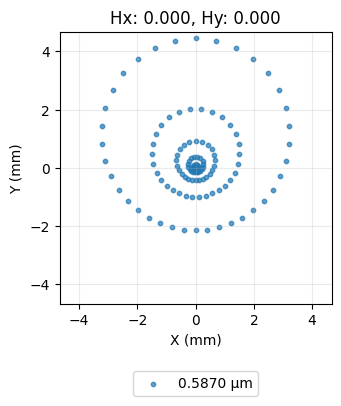
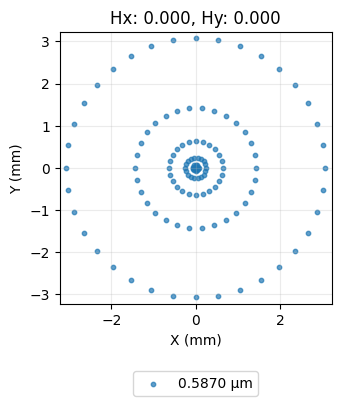
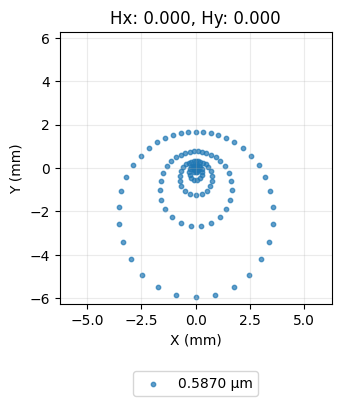
This tutorial shows how to tilt and de-center surfaces in a lens. We will use a spot diagram to show how ray intersection on the image plane are impacted by tilt/decentering.
[1]:
import numpy as np

from optiland import analysis, optic
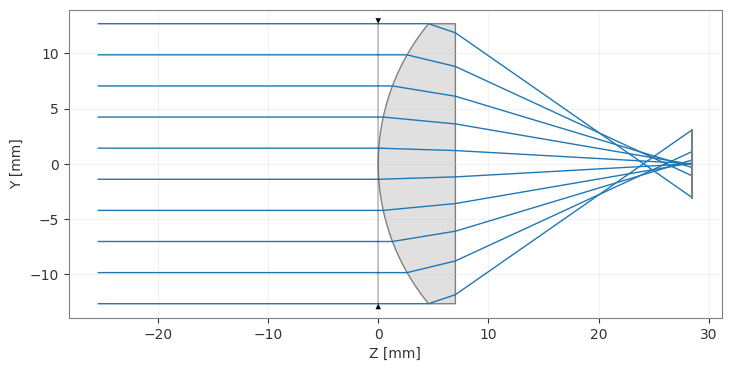
We start with a simple lens with all surfaces aligned.
[2]:
lens = optic.Optic()

# add surfaces
lens.surfaces.add(index=0, radius=np.inf, thickness=np.inf)
lens.surfaces.add(index=1, thickness=7, radius=19.93, is_stop=True, material="N-SF11")
lens.surfaces.add(index=2, thickness=21.48)
lens.surfaces.add(index=3)

# add aperture
lens.set_aperture(aperture_type="EPD", value=25.4)

# add field
lens.fields.set_type(field_type="angle")
lens.fields.add(y=0)

# add wavelength
lens.wavelengths.add(value=0.587, is_primary=True)

lens.draw(num_rays=10)
[2]:
(<Figure size 1000x400 with 1 Axes>, <Axes: xlabel='Z [mm]', ylabel='Y [mm]'>)
[3]:
spot = analysis.SpotDiagram(lens)
spot.view()
[3]:
(<Figure size 1200x400 with 1 Axes>,
 [<Axes: title={'center': 'Hx: 0.000, Hy: 0.000'}, xlabel='X (mm)', ylabel='Y (mm)'>])
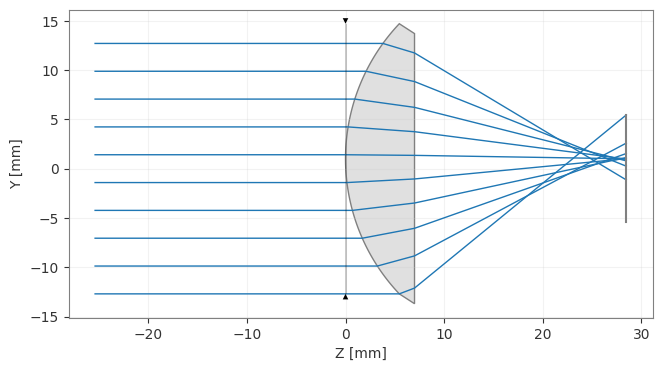
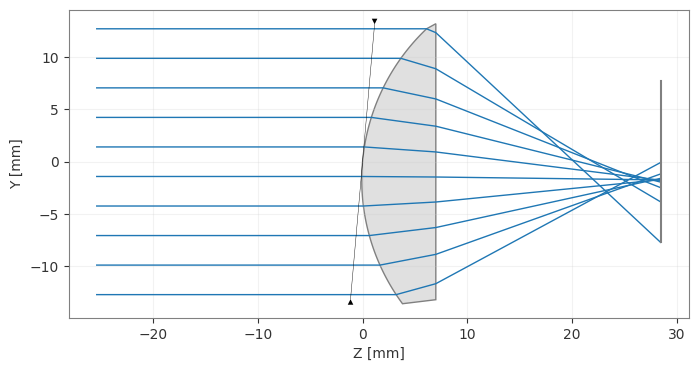
Now, let’s tilt the first surface by 5 degrees and redraw the lens.
[4]:
lens = optic.Optic()

# add surfaces
lens.surfaces.add(index=0, radius=np.inf, thickness=np.inf)

# == WE ADD THE TILT TO THIS SURFACE ===============
lens.surfaces.add(
    index=1,
    thickness=7,
    radius=19.93,
    is_stop=True,
    material="N-SF11",
    rx=np.radians(5.0),
)
# ==================================================

lens.surfaces.add(index=2, thickness=21.48)
lens.surfaces.add(index=3)

# add aperture
lens.set_aperture(aperture_type="EPD", value=25.4)

# add field
lens.fields.set_type(field_type="angle")
lens.fields.add(y=0)

# add wavelength
lens.wavelengths.add(value=0.587, is_primary=True)

lens.draw(num_rays=10)

spot = analysis.SpotDiagram(lens)
spot.view()
[4]:
(<Figure size 1200x400 with 1 Axes>,
 [<Axes: title={'center': 'Hx: 0.000, Hy: 0.000'}, xlabel='X (mm)', ylabel='Y (mm)'>])
Let’s decenter the first surface of the lens.
[5]:
lens = optic.Optic()

# add surfaces
lens.surfaces.add(index=0, radius=np.inf, thickness=np.inf)

# == WE DECENTER THIS SURFACE =====================
lens.surfaces.add(
    index=1,
    thickness=7,
    radius=19.93,
    is_stop=True,
    material="N-SF11",
    dy=1.0,  # 1 mm decenter
)
# ==================================================

lens.surfaces.add(index=2, thickness=21.48)

lens.surfaces.add(index=3)

# add aperture
lens.set_aperture(aperture_type="EPD", value=25.4)

# add field
lens.fields.set_type(field_type="angle")
lens.fields.add(y=0)

# add wavelength
lens.wavelengths.add(value=0.587, is_primary=True)

lens.draw(num_rays=10)

spot = analysis.SpotDiagram(lens)
spot.view()
[5]:
(<Figure size 1200x400 with 1 Axes>,
 [<Axes: title={'center': 'Hx: 0.000, Hy: 0.000'}, xlabel='X (mm)', ylabel='Y (mm)'>])